Run and debug eIQ HiFi4 and HiFi1 DSP examples using Xplorer IDE
This section lists the steps to Prepare CM33 Core for the examples and Prepare DSP core for the examples.
Prepare CM33 Core for the examples
The
tflm_cifar10_hifi4andtflm_label_image_hifi4examples consist of two separate applications that run on the CM33 core0 and DSP core. The CM33 core0 application initializes the DSP core and starts it.To debug the application:
Set up and execute the CM33 application using an environment of your choice.
Build and execute the examples located in:
<SDK_ROOT>/boards/mimxrt700evk/eiq_examples/tflm_cifar10_hifi4/cm33/<SDK_ROOT>/ boards/mimxrt700evk/eiq_examples/tflm_label_image_hifi4/cm33/
The
tflm_cifar10_hifi1example consists of three separate applications that run on the CM33 core0, CM33 core1, and DSP core. The CM33 core0 application initializes the CM33 core1 core and starts it. The CM33 core1 application initializes the DSP core and starts it.To debug the application:
Set up and build the CM33 core1 application using an environment of your choice.
Set up and execute the CM33 core0 application using an environment of your choice.
Build and execute the example located in:
<SDK_ROOT>/boards/mimxrt700evk/eiq_examples/tflm_cifar10_hifi1/cm33_core1/<SDK_ROOT>/boards/mimxrt700evk/eiq_examples/tflm_cifar10_hifi1/cm33_core0/Note: ARMGCC toolchain and IAR Embedded Workbench are both supported. To enable compatibility with RT700, IAR Embedded Workbench may require a patch. There are default DSP core images in the SDK. For details on how to build the examples, refer to Prepare DSP core for the examples.
Parent topic:Run and debug eIQ HiFi4 and HiFi1 DSP examples using Xplorer IDE
Prepare DSP core for the examples
The projects for different supported toolchains are built. The “xcc” project builds on the command line and the “xtensa” directory is an Xplorer IDE project.
To run the tflm_cifar10_hifi4 example, import the SDK sources into the Xplorer IDE.
Select File > Import > General > Existing Projects into Workspace.
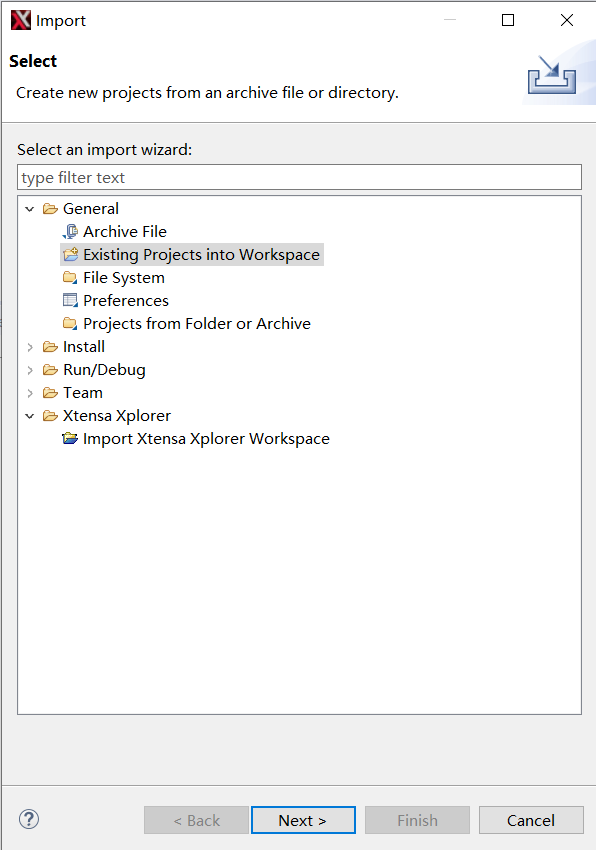
Click Next.
Select the
SDK directory/boards/mimxrt700evk/eiq_examples/tflm_cifar10_hifi4/hifi4/xtensaas the root directory.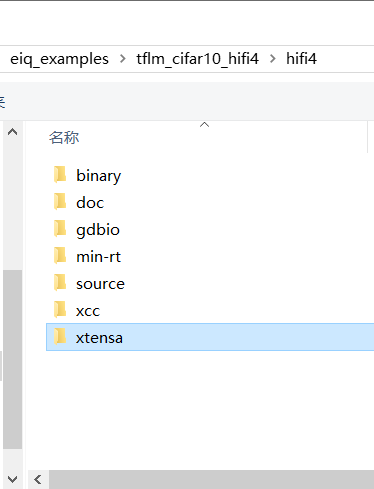
Click Select Folder.
Leave all the other options check boxes blank.
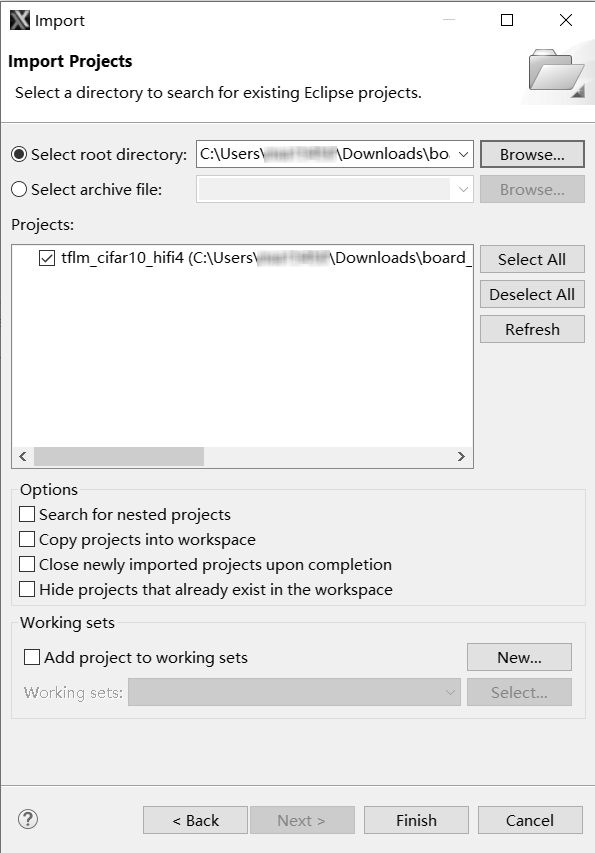
Once imported, the
tflm_cifar10_hifi4example appears in the Project Explorer.To make a build selection for the project and hardware target configuration, use the drop-down buttons on the menu bar.
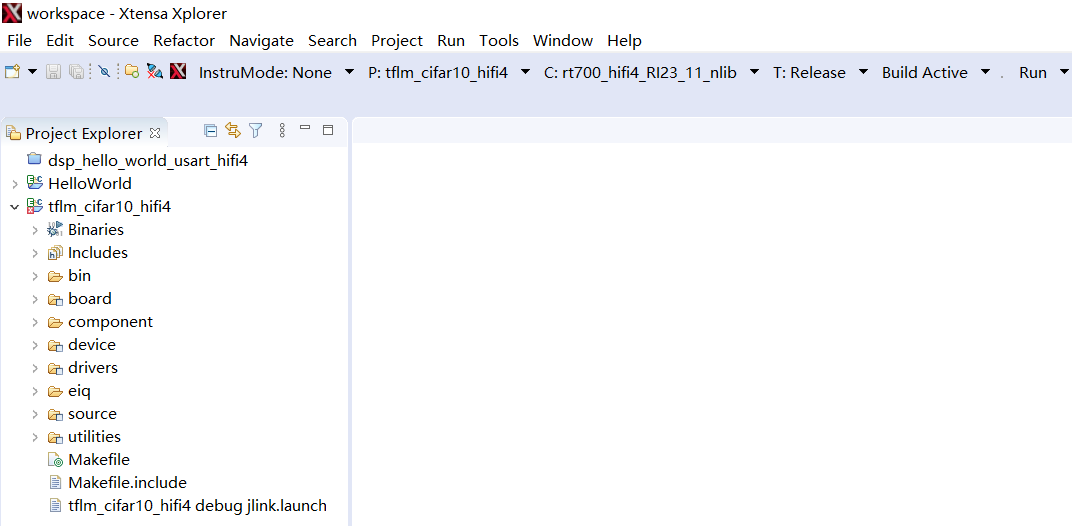
To build the DSP application image for the CM33 application, select the Release target option in the Xplorer IDE as below.
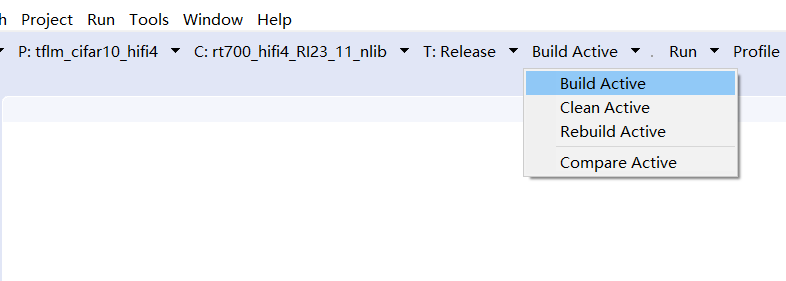
Three DSP binaries are generated and are loaded into different TCM or SRAM address segments:
<SDK_ROOT/>/boards/mimxrt700evk/eiq_examples/tflm_cifar10_hifi4/hifi4/binary/dsp_data_release.bin<SDK_ROOT/>/boards/mimxrt700evk/eiq_examples/tflm_cifar10_hifi4/hifi4/binary/dsp_literal_release.bin<SDK_ROOT/>/boards/mimxrt700evk/eiq_examples/tflm_cifar10_hifi4/hifi4/binary/dsp_text_release.bin
Parent topic:Run and debug eIQ HiFi4 and HiFi1 DSP examples using Xplorer IDE