
Program LPC-Link2 with SEGGER J-Link#
In addition to standalone probes, the onboard LPC-Link2 debug probe is used to debug HiFi4 DSP over SWD ports. The RT600 EVK has an LPC4300 MCU (top right corner on EVK) and by default has been pre-programmed as CMSIS-DAP probe. CMSIS-DAP is not compatible with HiFi4. Therefore, a few extra steps are required to flash it with J-Link firmware and support both Arm CM33 core and HiFi4 DSP core.
The steps are:
Install LPCScrypt, a command-line tool for programming onboard LPC-Link2 debug probe with the latest CMSIS-DAP and J-Link firmware. LPCScrypt is available for download from:https://www.nxp.com/design/microcontrollers-developer-resources/lpc-microcontroller-utilities/lpcscrypt-v2.1.0:LPCSCRYPT.
After the download is complete, run the installer.
Note: During the installation, the DFU, and VCOM drivers are automatically installed for all platforms.
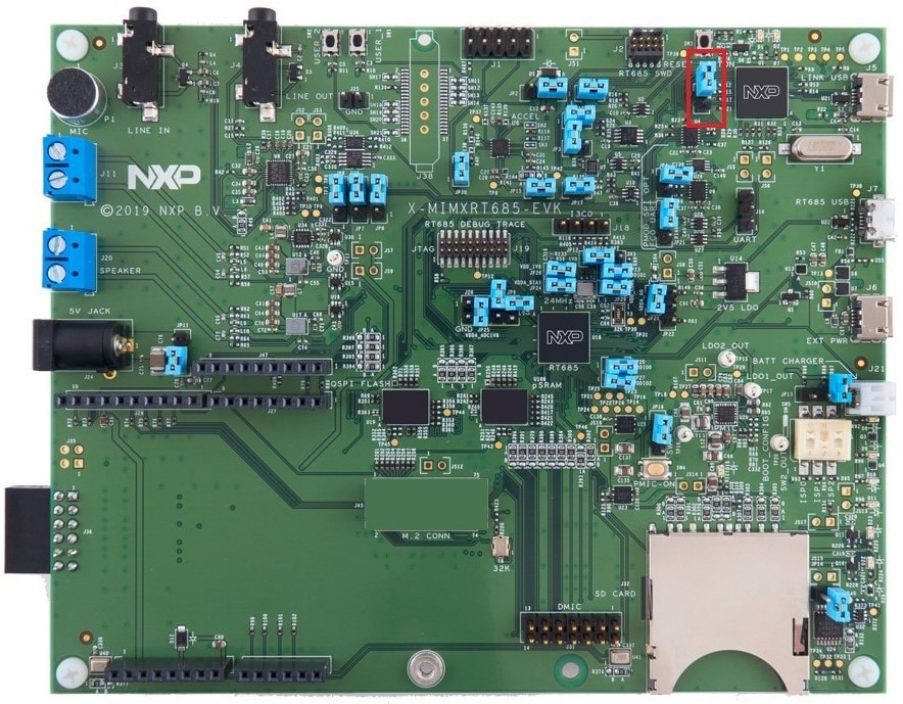
To update the LPC-Link2 debug circuit firmware, unplug the USB cable on J5 and then connect to the DFULink jumper. In the MIMXRT685-EVK, JP1 is the LPCXpresso DFU jumper as shown in Figure 1.
Connect JP1 using the jumper.
Reconnect the board to the host computer over the debug link USB connector J5.
Launch LPCScrypt by double-clicking the Boot LPCScrypt file in the LPCScrypt install location:
C:\ProgramData\Microsoft\Windows\Start Menu\Programs\LPCScrypt.
In that command shell, run the program_JLINK script to install the JLink debug firmware.

Note: File paths in this document use the Windows directory separator, on Linux or Mac OSX. The file paths must be replaced with ‘/.’ For Windows users, shortcuts to the scripts are available from the LPCScrypt entry on the Start menu.
Verify once you select the firmware (in this case J-Link), LPCScrypt. The console appears as shown in Figure 4.
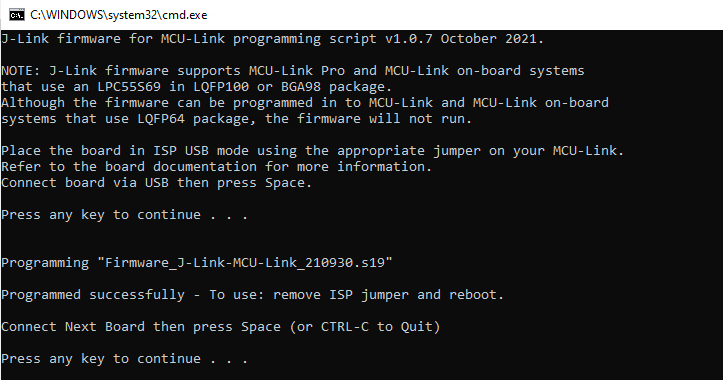
Open/ Disconnect JP1 and power cycle the board. The onboard LPC-Link2 is ready to be used as SEGGER J-Link probe.
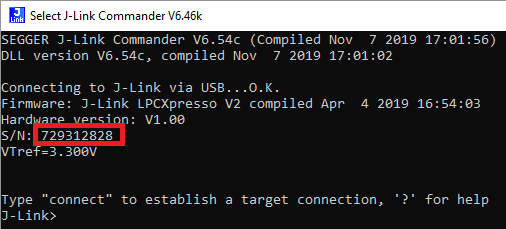
Every EVK/ LPC-Link2 has a different J-Link S/N. Therefore, make sure to write down the S/N for xt-ocd and topology.xml as indicated in Install Xtensa On Chip Debugger Daemon.
Another benefit is that LPC-Link2 debug probe creates a virtual serial port over USB, so the extra UART2USB cable for debugging is not required.

The download link provides the document, demo videos and details on LPC-Link2. If you have any questions, or have difficulties to program the probe, see https://www.nxp.com/design/microcontrollers-developer-resources/lpc-microcontroller-utilities/lpcscrypt-v2.1.0:LPCSCRYPT.
Parent topic:Install Xplorer Toolchains