MCUXpresso Config Tool support
Steps to generate the project template project for specific derivative part number by MCUXpresso Config Tool:
Download the specific device SDK package and unzip it.
Note: Since the project template requires FreeMASTER, select the middleware FreeMASTER in the SDK builder when downloading.
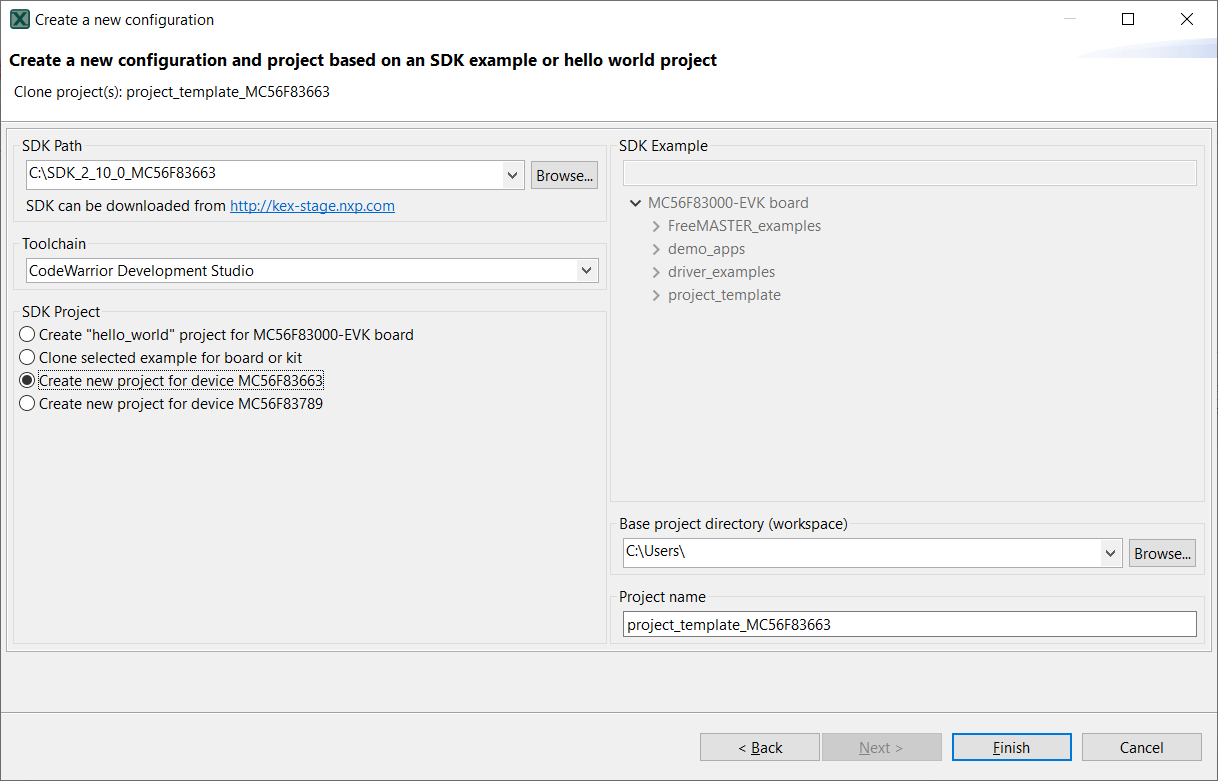
Use MCUXpresso Config Tool.See tool version in Release Notes. To create a project template project, as shown in Figure 1.
|
|
Import the generated template project into CodeWarrior IDE and start the development. By now, a config tool file (extension.mex) with the same project name as shown in Figure 1 is also generated in the project folder. This config tool file achieves easy configurations for pins, clocks, and peripherals.
Parent topic:Project template project for a specific DSC part