CMake
CMake Variables
CMake variables can be defined and passed to CMake during builds. For example with Zephyr, building with a shield board uses a CMake variable to include the shield of the devicetree and Kconfigs in the build. When building for the G1120B0MIPI display shield with command line, -DSHIELD=g1120b0mipi is added to the command for CMake.
CMake variables can also be added in a VS Code project with the MCUXpresso extension. After creating/importing the project, open the project file CMakePresets.json. Add the variable to the cacheVariables group. In this example, the line "SHIELD": "g1120b0mipi" was added. The CMakePresets.json file includes different build configurations, typically a Debug and Release build configs. The CMake variables should be added to each build config that are needed. The image below shows adding the SHIELD variable to the debug build config.
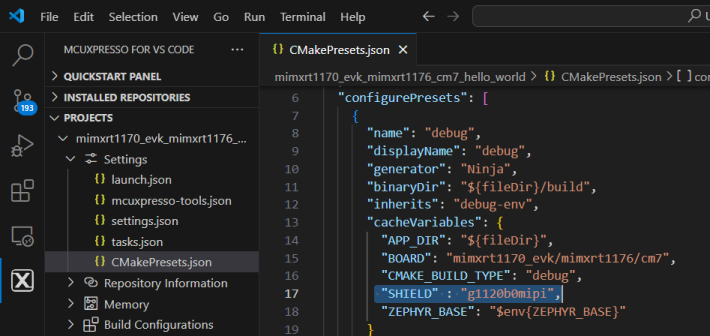
Save the file, clean and build the project. Now the new CMake variable is included in the build.
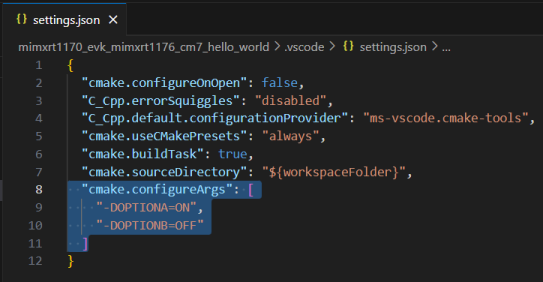
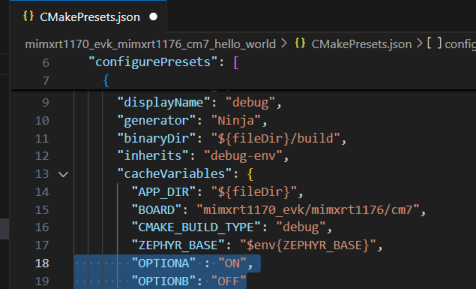
It is recommended to use the CMakePresets.json file when defining any additional CMake variables, this allows you to define different variables per build configuration as needed. settings.json is another file where CMake variables may be stored. To move the CMake variables to presets simply remove them from settings.json file and add them to CMakePresets.json under cacheVariables.
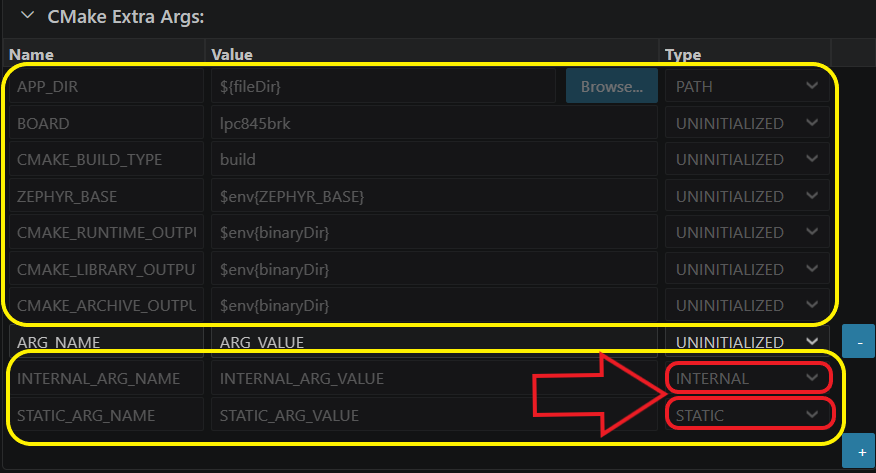
You can define additional CMake variables in the CMakePresets.json file using the UI by navigating to the Build Configurations section of your project. Choose the build configuration you want to modify, then add your CMake variables in the CMake Extra Args expandable section.
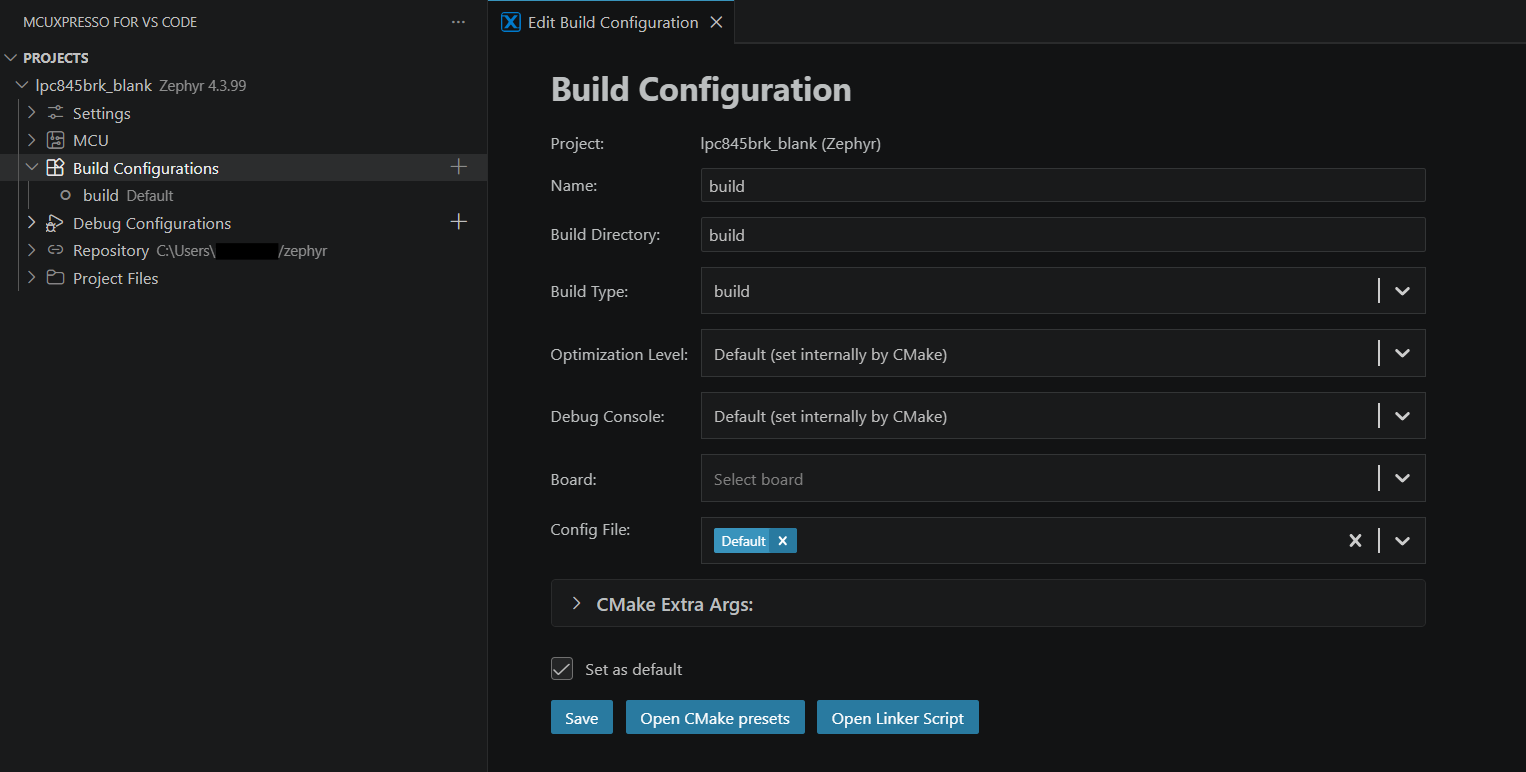
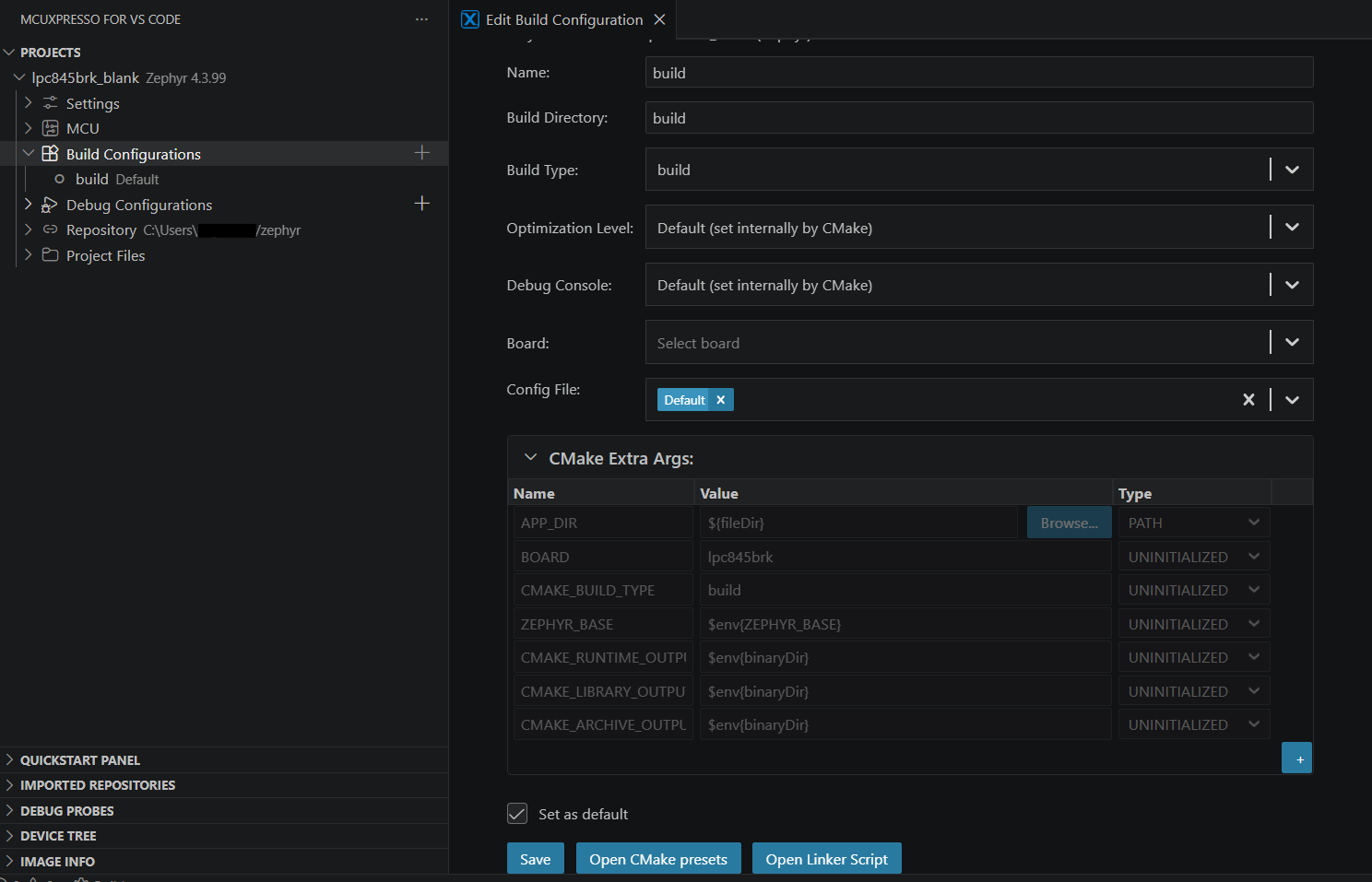
The Arguments table has three columns Name, Value, Type. Type is represented by a selection box with the following values: BOOL, PATH, FILEPATH, STRING, UNINITIALIZED.
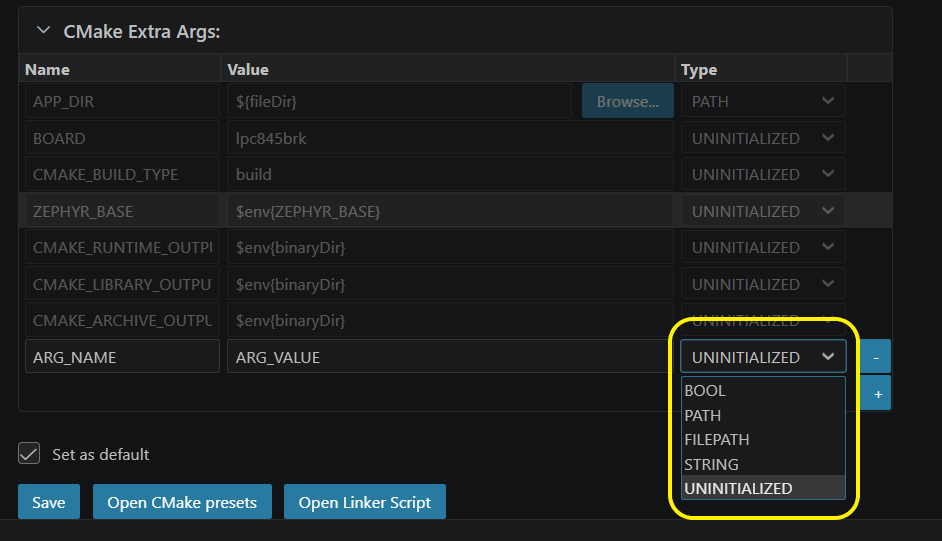
New arguments can be added by clicking the plus button from the last line of the table. New arguments cannot be added if a previous argument is invalid, that is, has an empty name. To delete an argument, click the minus button at the end of that specific entry in the table.
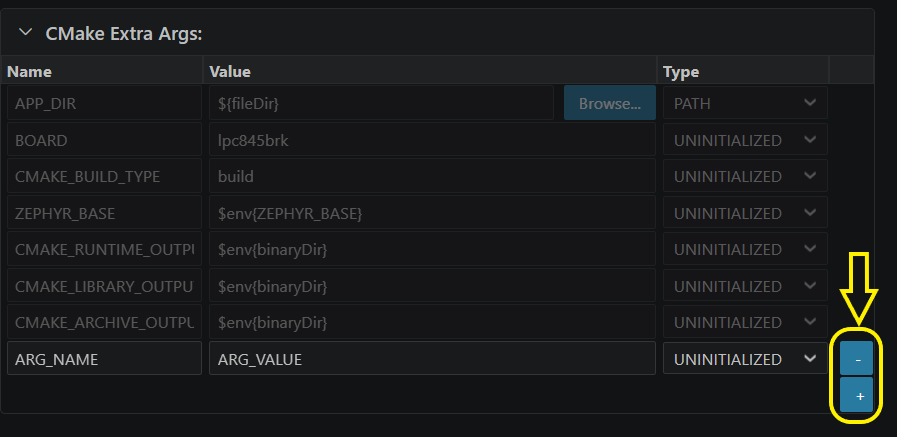
The default arguments of the project are present in the table, but are uneditable. The same is true for the arguments that have type INTERNAL or STATIC.