Open Linker script
The MCUXpresso for VS Code extension provides an Open Linker Script action that locates and opens the linker script associated with the selected build configuration. The action is available in the Build Configuration panel and is supported for MCUXpresso SDK CMake-based and Zephyr projects, including sysbuild multi-domain configurations.
Opening a Linker script
In the Projects view, select a project and open its Build Configuration panel.
Click Open Linker Script.
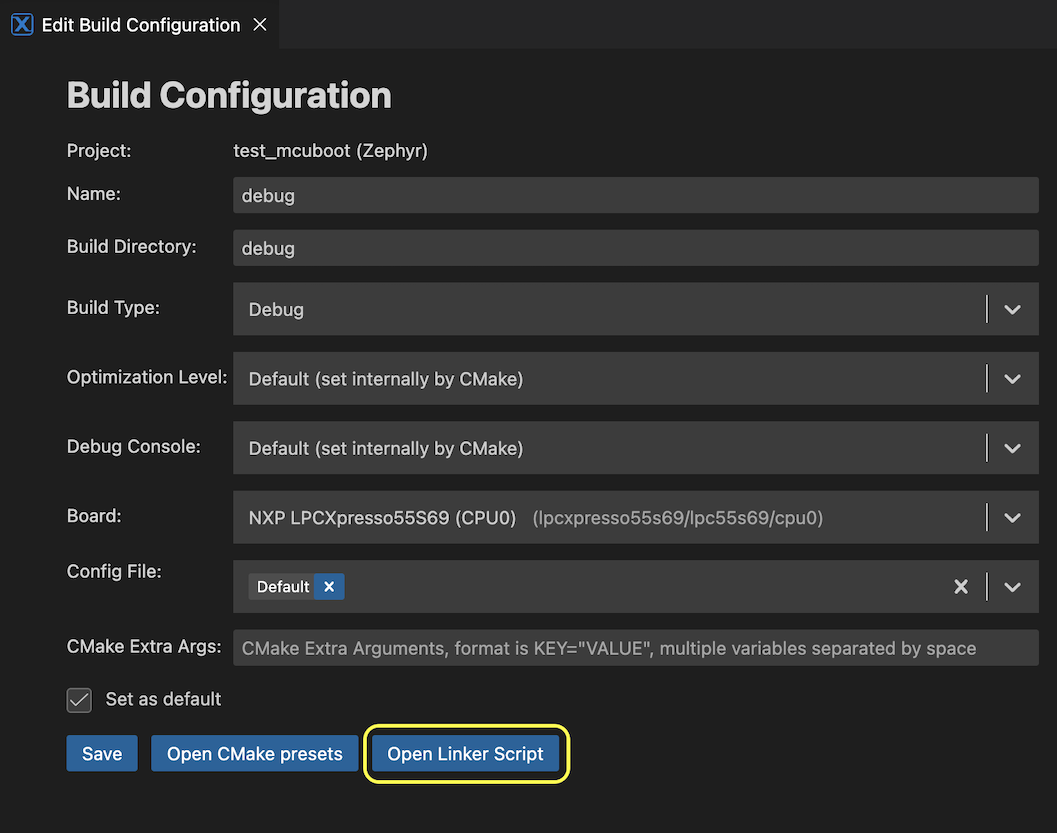
The extension resolves the linker script for the selected build configuration and opens it in the editor with syntax highlighting.
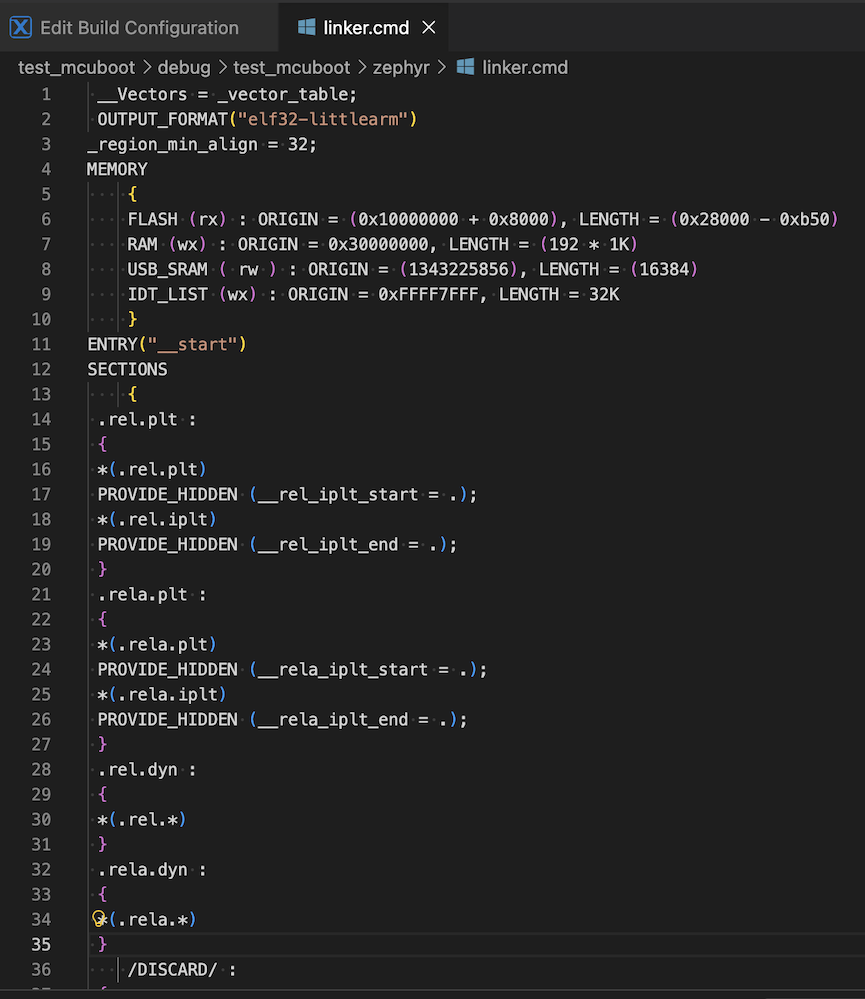
Note: If the project is not yet configured or built, the extension automatically performs the required steps before opening the file. A progress notification is displayed throughout this process.
Zephyr projects
For Zephyr projects, the final linker script is a generated file produced at build time. If the file does not exist on disk, the extension triggers a build automatically before opening it.
The linker script is regenerated on every build. Any manual edits are overwritten the next time the project is built. When saving modifications to the file, the following warning is displayed:
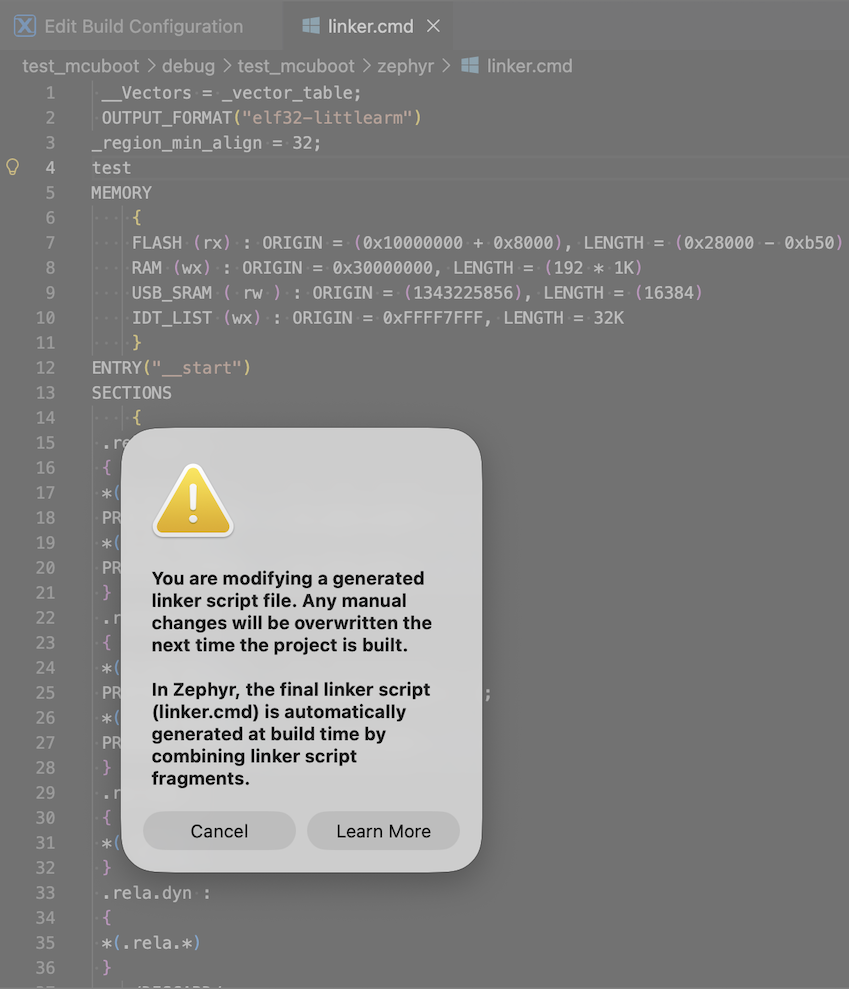
A Learn More button in the dialog opens the Zephyr Build System documentation. The save operation is not blocked by the warning.
Sysbuild multi-domain projects
For sysbuild projects with multiple build domains, a selection dialog lists the available domains. Select the domain whose linker script to open. Dismissing the dialog cancels the operation without displaying an error.
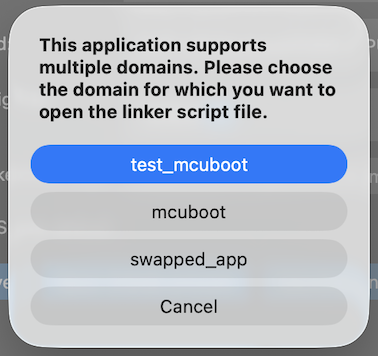
For single-domain sysbuild projects, no selection is required and the file opens directly.
Troubleshooting
Problem |
Resolution |
|---|---|
Open Linker Script button is disabled |
The button is disabled when the Build Directory field is empty or contains an invalid path, when the build configuration form has validation errors, or when an open-linker-script operation is already in progress. |
Linker script not found |
The build output does not contain a linker script reference. |
Configure step fails |
Review the Terminal panel for CMake errors. Verify that the toolchain is installed and correctly configured in the extension settings. |
Build step fails (Zephyr) |
Review the Terminal panel for compilation errors. Resolve any code or configuration issues in the project before retrying. |