
Introduction#
The MCUXpresso Config Tools set is a suite of evaluation and configuration tools that help you from initial evaluation to production software development. The following tools are included:
Table MCUXpresso Config Tools#
Name |
Description |
|---|---|
Enables you to configure the pins of a device. Pins tool enables you to create, inspect, change, and modify any aspect of the pin configuration and muxing of the device. |
|
Enables you to configure initialization of the system clock (core, system, bus, and peripheral clocks) and generates the C code with clock initialization functions and configuration structures. |
|
Enables you to configure the initialization for the MCUXpresso SDK drivers. |
|
Extension for Peripherals tool that configures the PLU peripheral with a simple graphical workflow. |
|
Enables you to generate a Device Configuration Data (DCD) image using the format and constrains specified in the boot ROM reference manual. |
|
Enables you to configure the security policies of memory areas, bus masters, and peripherals, to isolate and safeguard sensitive areas of your application. |
Versions#
The suite of these tools is called MCUXpresso Config Tools. These tools are provided as an online web application oras a desktop application or as an integrated version in the MCUXpresso IDE.
Note: The desktop version of the tool contacts the NXP server and fetches the list of the available processors. Once used, the processor data is retrieved on demand.
Tip: To use the desktop tool in the offline mode, create a configuration for the given processor while online. The tool then stores the processors locally in the user folder and enables faster access and offline use. Otherwise, it is possible to download and export the data using the Export menu.
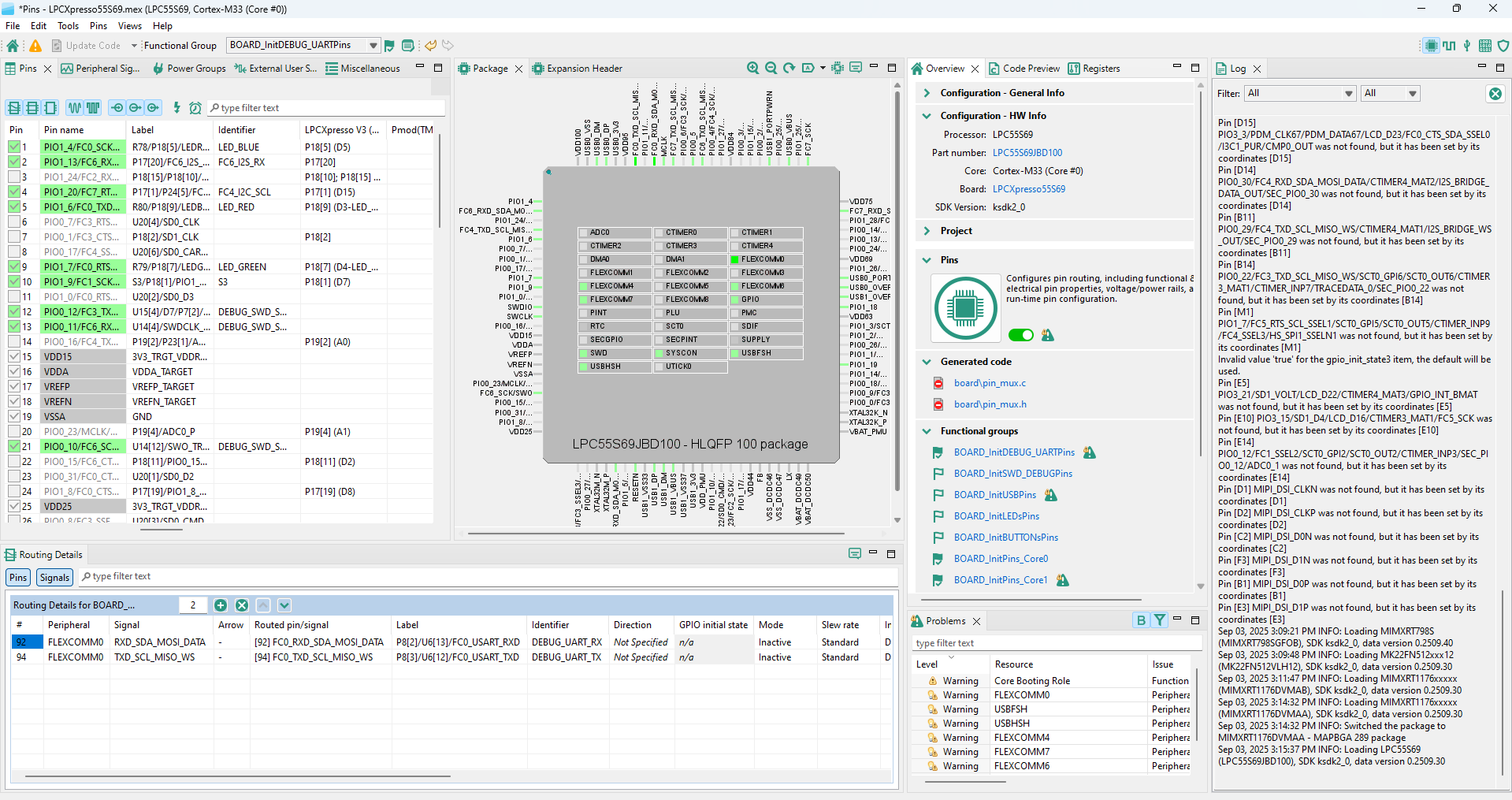
Desktop version of Pins tool#
Tools localization#
MCUXpresso Config Tools are available in English and Simplified Chinese only.
The locale of MCUXpresso Config Tools automatically copies the global settings of your computer.
To set the locale manually, add the following parameter to the command line:
tools.exe -nl zh
You can also set the locale in the tools.ini file by adding the following line:
-Duser.language=zh
Note: Setting your system locale to Chinese automatically launches the tool with localized Chinese menu items, tool tips, and help. You may need to delete the [home_dir]/.nxp folder after switching languages because some menu items may be cached.