
Use SPT tool to boot cm33 image#
Run the Secure Provisioning Tool, and the following GUI shows.
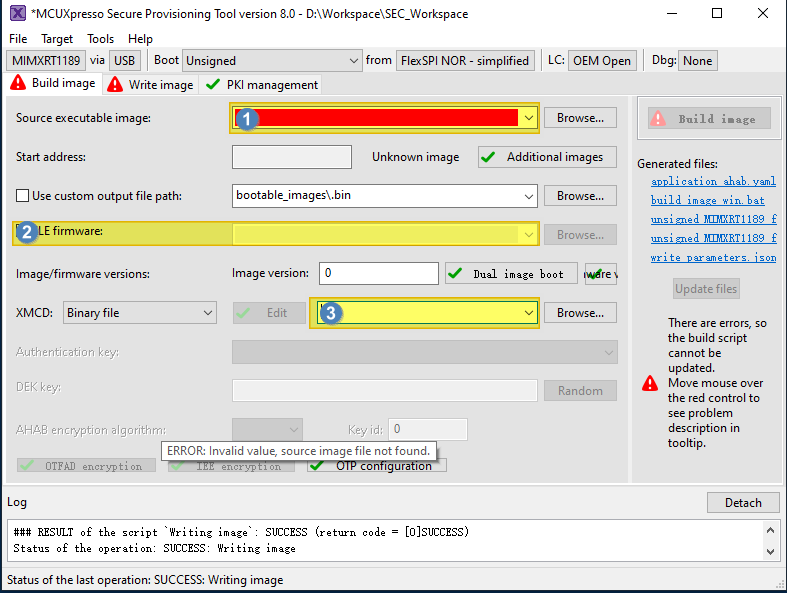
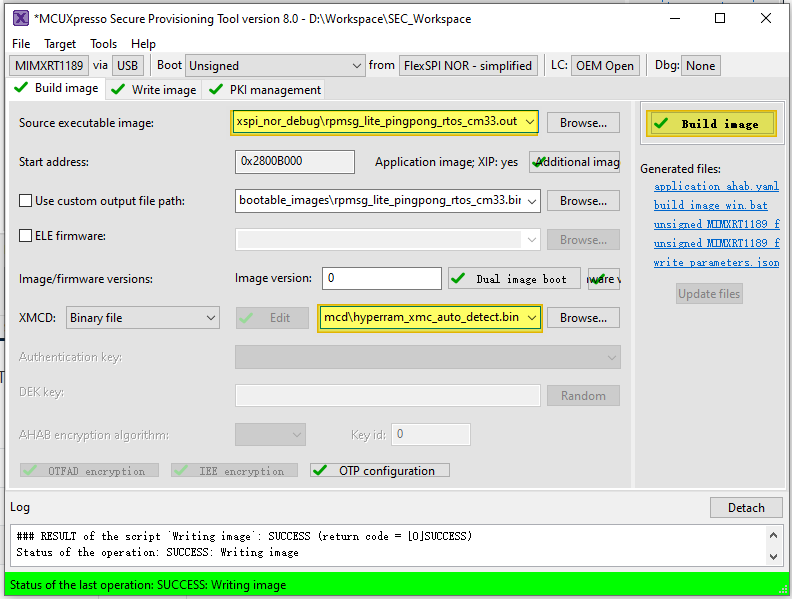
Select the following items:
Toolchain generated images
All SDK generated images are supported no matter they boot from TCM, FlexSPI Nor, or HyperRAM.
Toolchain
Suffix
ARMGCC
.elf
IAR
.out
MDK
.out/.hex
MCUX
.axf
Note:
Use the RAW image for CM33. For SDK projects whose default target is a POR image, switch to a RAW image for SPT usage. For more information, see RAW/POR image switch.
It is recommended to use elf/out files, thus SPT can parse the Start address automatically.
XMCD file
This is on-board SDRAM/HyperRAM initialization file. For the RT1180 EVK board, select boards/evkmimxrt1180/xmcd/hyperram_xmc_auto_detect.bin.
Note:
If the application image uses
hyperram(target hyperram_debug/release, flexspi_hyperram_debug/release, hyperram_txt_debug/release), the XMCD is necessary.hyperram_xmc_auto_detect.bin is board specific.
(Optional) ELE firmware
This is needed for certain application images which need special ELE FW service. For most SDK demos, simply leave it empty.
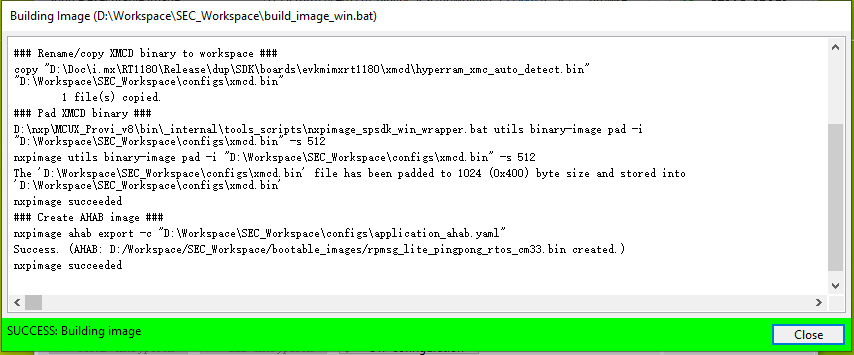
After the selection, click Build Image to generate the bootable image (POR image).
Now switch to the Write Image tab. All information is automatically generated from the previous page. Connect both USB OTG1 port (J33) and MCU-Link port (J53) to the computer and power up the board (or reset via SW3). Make sure that the EVK board boot configuration switch SW5[1..4] are on 0001 SDP mode and click Write Image.
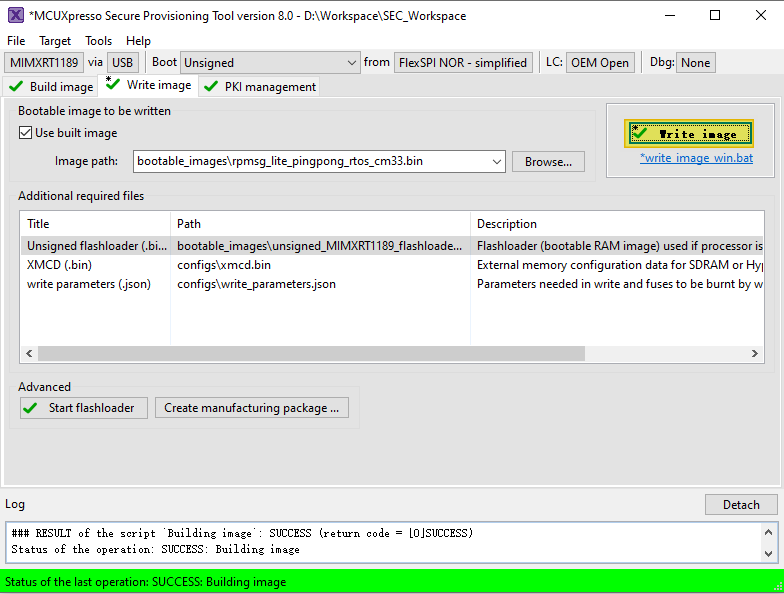
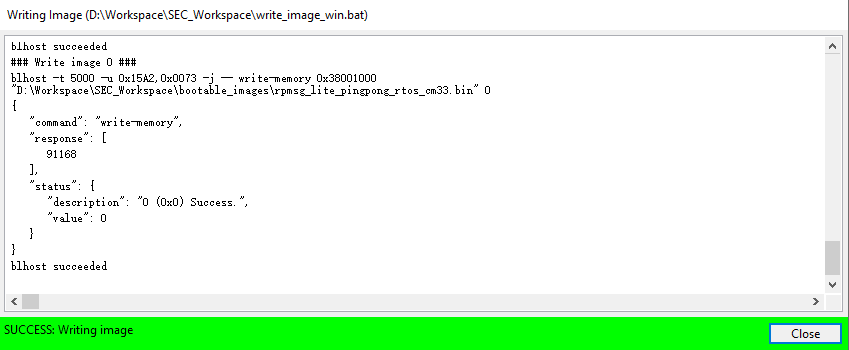
Change the SW5[1..4] to QSPI boot mode 0100 and reset the board, and then you can observe that the image is running from POR boot.
Parent topic:Bootable image generation