Introduction
MCUXpresso Config Tools are a suite of evaluation and configuration tools that help guide users from first evaluation to production software development. This document describes how to install the MCUXpresso Config Tools software. The software is available as an online version (using a web browser) and also as a desktop application installed on the host machine. The MCUXpresso Config Tools are used for board level configuration and code-generation, including pin routing with electrical and functional property settings, clock input/output setup with graphical diagram views, and peripheral initialization with parameter validation and quick start selections.
The MCUXpresso Config Tools are for general use and aim to help hardware designers, software engineers, embedded engineers, and field application engineers (FAEs).
The MCUXpresso Config Tools support:
Graphical views to create and change pins, clocks, and peripherals configuration
Creation of C source code for device initialization that can be used in any IDE
Package view with all pins and routable peripherals
View of routed pins
Registers with initialization values
Clock diagram view with highlighted clock paths
Update existing IDE projects with generated C source code from pins, clocks, and peripherals
Note: If the MacOS is set to Traditional Chinese, MCUXpresso starts in English and not Chinese. This is intended.
Minimum system requirements
The following lists the minimum system requirements to install and run the software:
One of the following graphical operating systems:
Microsoft Windows 10 (64-bit)
Ubuntu 22.04 LTS
Note: Linux-hosted variants of the tools are distributed on Linux as 64-bit binaries, which may not work on 32-bit systems.
Supported desktop environments: GNOME
Mac OS X (12.x)
4 GB RAM
Display with resolution 1366 x 768
Internet connection for dynamic download from processor database
Supported processors
The tool goes with limited data and the supported devices. You can download the additional supported devices later. It requires an Internet connection to get the data for the supported processors.
Limitations
Refer to the Release Notes to see the limitations.
Installation
For the desktop setup executable, there is an installer available at https://mcuxpresso.nxp.com.
The installer file is about 290 MB in size and includes all the files required for the setup and does not need a connection to the Internet during installation. You can use this method for slow network connections or for installing the software on multiple machines.
Missing device information files are downloaded from the Internet when loading a configuration into the tool.
Installing on Windows
A setup binary is available for Microsoft Windows:
64-bit version: Contains “x64” in the installer executable name.
Running a non-matching executable for a given host system, for example a 64-bit setup on a 32-bit system, will give an error message dialog.
To install MCUXpresso Config Tools as a desktop application on a local host:
Run the
MCUXpresso_Config_Tools_<version>_<architecture>.exe.The MCUXpresso Config Tools Setup wizard initiates.
Select the language in which you want to run the installer.
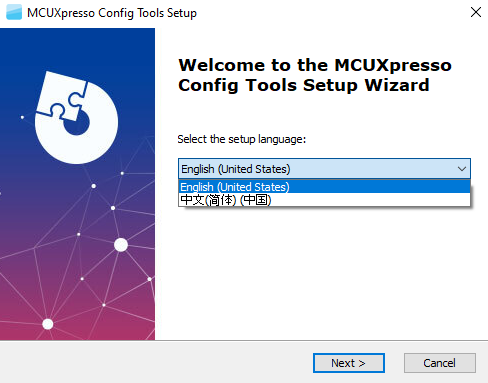
Select the Setup Language
Click Next.
On the next page, click Next.
On the End-User License Agreement page of the wizard, select I accept the terms of the License Agreement.

Accepting the End-user License Agreement
Click Next.
On the Select Installation Folder page of the wizard, select Browse and navigate to a destination folder you want the MCUXpresso Config Tools to install to.
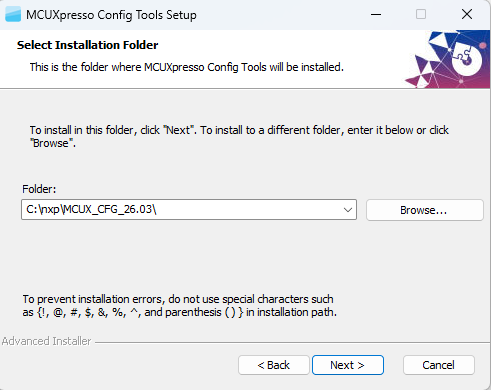
Select Installation Folder
Click Next.
On the Configure Shortcuts page of the wizard, select the shortcuts you want to be created for MCUXpresso Config Tools for.
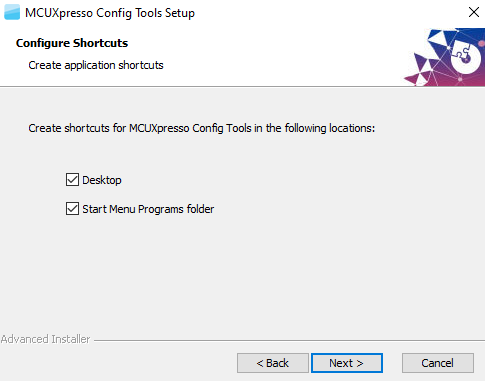
Configure Shortcuts
Click Next.
On the Ready to Install page of the wizard, select Install.
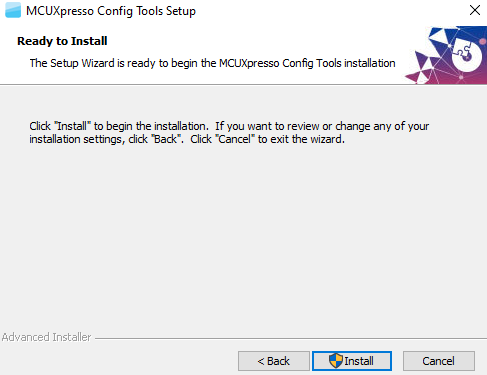
Ready to Install
The setup will begin the installation.
Note: If you want to review or change any of your installation settings, click Back. Click Cancel to exit the wizard.
The installer prompts you when the installation completes.
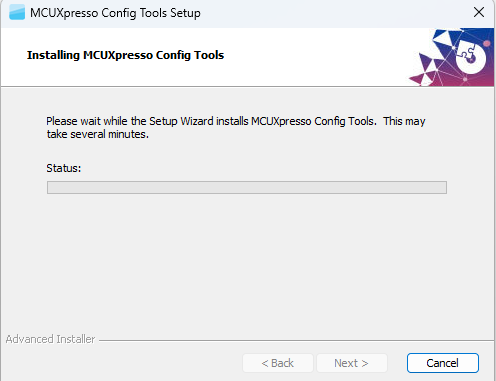
Installing MCUXpresso Config Tools
Click Finish to close and exit the setup wizard.
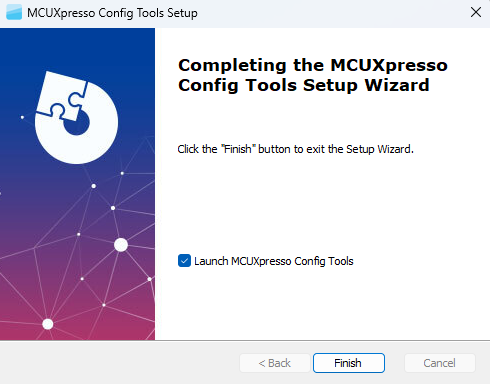
Complete installation
To start using the MCUXpresso Config Tools, run the tool from the shortcut on the desktop or from the Start menu. You can also navigate to the
\bin\ folder and launch the tools.exe or launch the shortcut in the .
Installing on Mac
To install MCUXpresso Config Tools as a desktop application on a local host:
Click the
MCUXpresso_Config_Tools_<version>_<architecture>.pkg.The Install MCUXpresso Config Tools setup initiates and the Introduction page appears.
Note: You may receive an error when trying to open the MacOS installer. To avoid it, manually select the option Mac App Store and identified developers from the Security & Privacy menu.

Introduction
Click Continue.
The License page appears.

License
Note: To install MCUXpresso Config Tools, agree to the terms of the software license agreement.

Software license agreement
Click Continue.
The Installation Type page appears.

Installation Type
Click Install.
The Installation page appears.
Type in your login credentials to continue with the installation.
Click Install Software.

Install Software
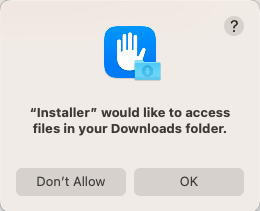
Install Software
Click Continue.
The Summary page prompts that the installation was successfully completed.

Summary
Click Close to exit the installation wizard.
Installing on Linux
This section provides the details of installation of MCUXpresso Configuration Tools on Linux.
Installing using command line
 chmod +x ./<name><version>-<pkg_revision><architecture>.deb.bin
$ sudo ./<name>_<version>-<pkg_revision>_<architecture>.deb.bin
(Reading database ... .... files and directories currently installed .)
Preparing to replace <name> <version> (using
<name>_<version>-<pkg_revision>_<architecture>.deb) ...
Unpacking replacement <name> ...
Setting up <name> (<version>) ...
This installs the tools to the default location (/opt/nxp/<default_path>).
Uninstalling using command line
In the Terminal, you can get the list of MCUX Config Tools with the package names.
dpkg --list "mcuxpresso-config-tools*"
Desired=Unknown/Install/Remove/Purge/Hold
| Status=Not/Inst/Conf-files/Unpacked/halF-conf/Half-inst/trig-aWait/Trig-pend
|/ Err?=(none)/Reinst-required (Status,Err: uppercase=bad)
||/ Name                        Version      Architecture Description
+++-===========================-============-============-=================================
ii  mcuxpresso-config-tools-v16 16.0         amd64        MCUXpresso Config Tools
Now, the desired version can be uninstalled:
sudo dpkg -r mcuxpresso-config-tools-v16
Note about the source code in the document
Example code shown in this document has the following copyright and BSD-3-Clause license:
Copyright 2026 NXP Redistribution and use in source and binary forms, with or without modification, are permitted provided that the following conditions are met:
Redistributions of source code must retain the above copyright notice, this list of conditions and the following disclaimer.
Redistributions in binary form must reproduce the above copyright notice, this list of conditions and the following disclaimer in the documentation and/or other materials must be provided with the distribution.
Neither the name of the copyright holder nor the names of its contributors may be used to endorse or promote products derived from this software without specific prior written permission.
THIS SOFTWARE IS PROVIDED BY THE COPYRIGHT HOLDERS AND CONTRIBUTORS “AS IS” AND ANY EXPRESS OR IMPLIED WARRANTIES, INCLUDING, BUT NOT LIMITED TO, THE IMPLIED WARRANTIES OF MERCHANTABILITY AND FITNESS FOR A PARTICULAR PURPOSE ARE DISCLAIMED. IN NO EVENT SHALL THE COPYRIGHT HOLDER OR CONTRIBUTORS BE LIABLE FOR ANY DIRECT, INDIRECT, INCIDENTAL, SPECIAL, EXEMPLARY, OR CONSEQUENTIAL DAMAGES (INCLUDING, BUT NOT LIMITED TO, PROCUREMENT OF SUBSTITUTE GOODS OR SERVICES; LOSS OF USE, DATA, OR PROFITS; OR BUSINESS INTERRUPTION) HOWEVER CAUSED AND ON ANY THEORY OF LIABILITY, WHETHER IN CONTRACT, STRICT LIABILITY, OR TORT (INCLUDING NEGLIGENCE OR OTHERWISE) ARISING IN ANY WAY OUT OF THE USE OF THIS SOFTWARE, EVEN IF ADVISED OF THE POSSIBILITY OF SUCH DAMAGE.
Revision history
Document ID |
Release date |
Description |
|---|---|---|
KEXTIUG v.15.0 |
25 March 2026 |
Updated for v.26.03 |
KEXTIUG v.14.0 |
16 December 2025 |
Updated for v.25.12 |
KEXTIUG v.13.0 |
18 September 2025 |
Updated for v.25.09 |
KEXTIUG v.12.0 |
20 June 2025 |
Updated for v.25.06 |
KEXTIUG v.11.0 |
17 March 2025 |
Updated for v.25.03 |
KEXTIUG v.10.0 |
15 January 2025 |
Updated for v.24.12 |
KEXTIUG v.9.0 |
24 September 2024 |
Updated for v.16.1 |
KEXTIUG v.8.0 |
1 July 2024 |
Updated for v.16 |
KEXTIUG v.7.0 |
19 April 2024 |
Updated for v.15.1 |
KEXTIUG v.6.0 |
10 January 2024 |
Updated for v.15 |
KEXTIUG v.5.0 |
31 July 2023 |
Updated for v.14 |
KEXTIUG v.4.0 |
2 January 2023 |
Screenshots are updated, minor updates |
KEXTIUG v.3.0 |
20 September 2022 |
Updated for v.12.1 |
KEXTIUG v.2.0 |
30 June 2022 |
Updated for v.12 |
KEXTIUG v.1.0 |
22 December 2021 |
Screenshots are updated. |
KEXTIUG v.0 |
23 June 2021 |
Initial version |