
Updating NBU for Wireless Examples#
The Narrow Band Unit (NBU) firmware is included in the SDK folder as a signed and encrypted FW.
middleware\wireless\ble_controller\bin\kw47_nbu_ble_hosted.bin
To program the NBU software for the KW47, perform the following steps:
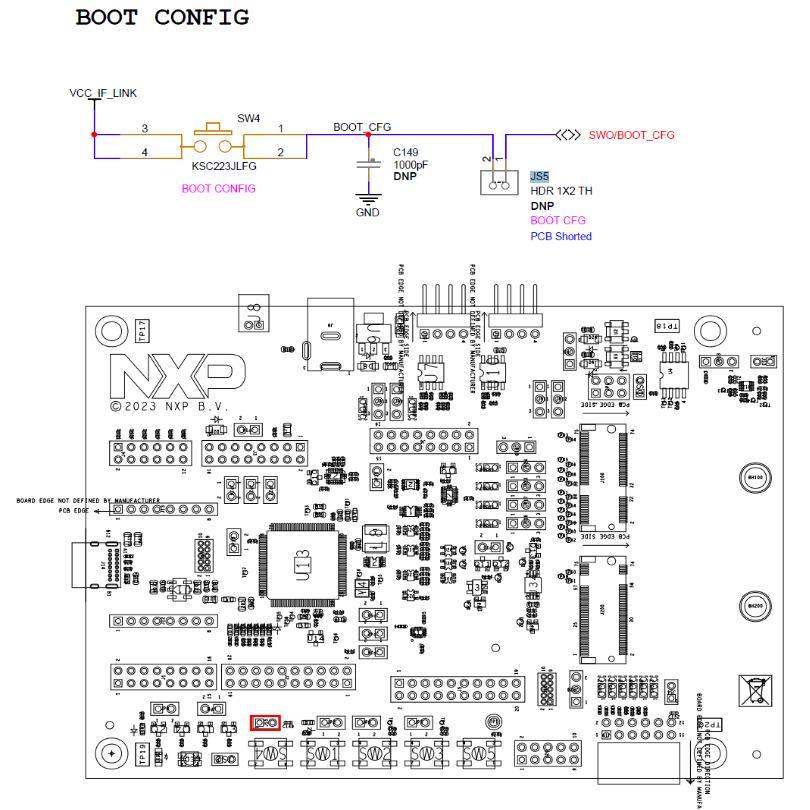
While holding pressed the SW4 on the KW47-EVK board, attach the USB connector J14 to your computer. Then, release the SW4 after you plugged the USB cable on your computer.
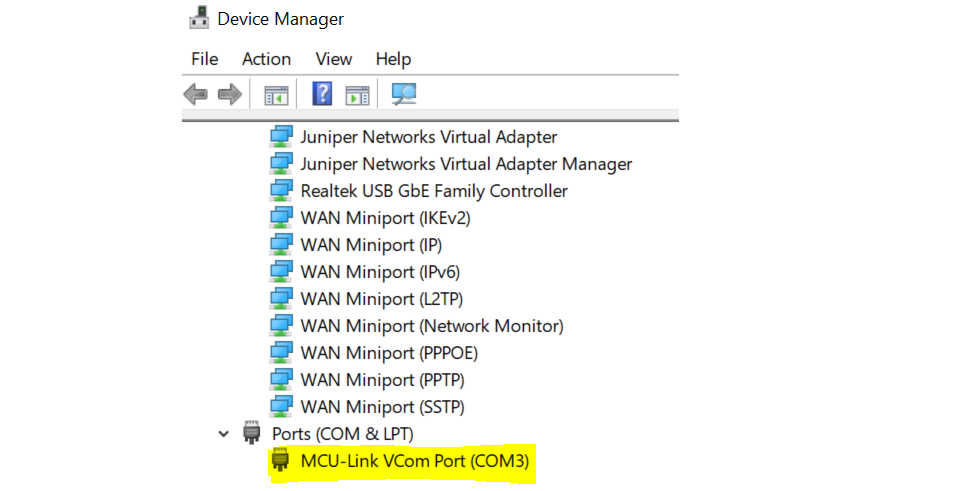
Verify which COM port is assigned to your KW47-EVK board. To check the assigned COM port, in the Windows Device Manager program, search for Ports (COM & LPT) and save the COM port number. In this example, the assigned COM port is COM3.
Execute the following commands in order, replacing COMX with your actual COM port number (e.g., COM3):
Make sure the device has entered ISP mode properly. If the device did not enter in ISP mode, it cannot be programmed.
blhost.exe -p COMX get-property 1
Erase NBU flash
blhost.exe -p COMX flash-erase-all 2
Program NBU binary into NBU flash
blhost.exe -p COMX write-memory 0x48800000 kw47_nbu_ble_hosted.bin
The following examples show when the device did not enter in ISP (left) and when the device was programmed properly (right).
