
Build an example application#
To build an example application, follow these steps.
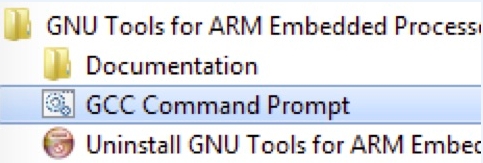
Open the GCC Arm embedded toolchain command window. To launch the window on the Windows operating system, select Start -> Programs -> GNU Tools ARM Embedded <version> -> GCC Command Prompt.
|
|
Change the directory to the example application project directory, which has a path similar to the following:
<install_dir>/boards/<board_name>/<example_type>/<application_name>/armgcc
For this example, the exact path is:
<install_dir>/boards/evkmimx8ulp/demo_apps/hello_world/armgcc
Type
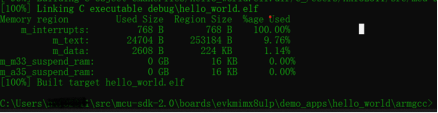
build_debug.batat the command-line or double-click thebuild_debug.batfile in Windows Explorer to perform the build. The output is as shown in Figure 2.|
|
Note: To run the application, see the Run an application using imx-mkimage.
Parent topic:Windows OS host